Wednesday, 27 April 2022

Solved: PCMflash "Unable to Use Selected Interface" Issue

Problem: The V1.24 PCMtuner is unable to recognizll are unactivated. The PCMflash prompts: " Unable to use selected interface(J2534: Scanmatik - SM2 USB). Check if it's connected and not in use by other applications."

solved-pcmflash-unable-to-use-selected-interface-issue


Solution

1. Close all PCMflash software;

2. Re-insert dongle to recognize;

3. Restart PCMflash software.


NOTE

Please ask your agency to activate account firstly if haven't.

Please DO NOT open multiple PCMflash software meanwhile.


Thanks to obd2shop.co.uk engineer, problem was solved.


Any questions about PCMtuner, please contact us.

http://blog.obd2shop.co.uk/solved-pcmflash-unable-to-use-selected-interface-issue/

Monday, 25 April 2022

Solution: PCMtuner Account Can't Login Due to Reinstall Windows

Question: My PCMtuner account email is unable to login since reinstalling Windows system. It always prompts: "User already exist!!" when I'm trying to log in. What's the problem, please help.

solution-pcmtuner-account-cannot-login-user-already-exist

Solution

The reason why cause the issue is because previous account has been bound to system. Close the account, then re-register & re-activate can solve it.


All the users have to do is to provide account & explanation to agency, then problem can be done.


If you have the same problem, just contact your seller.


Hope this is helpful.

http://blog.obd2shop.co.uk/solution-pcmtuner-account-cant-login-user-already-exist/


Friday, 22 April 2022

Free Download ECUHELP ECU Bench Tool, Installation, Comparison

ECUHELP ECU Bench Tool is a latest universal bench tool for ECU reading & writing. No disassembly, its software can automatically detect ECU and memory types. Here we provided 2022 latest free download link, 100% worked.


Free download ECUHELP ECU Bench Tool Software

Mega link 1:

https://mega.nz/file/ViogyQzb#yhSankda8qA3NjpVlNg7d_4fsmjNfEfb3CN_Lh8ABDc

Mega link 2:

https://mega.nz/file/RotRWKqQ#6jEAznkFYUxBS8hARVqTmdjxRHHCi82hHSUh7WP17bU


Size: 327.3MB

System: Windows 10

Language: English

Package: includes EBT(Amt Bench Service Tool) + ECUHelp 2.0

ecuhelp-ecu-bench-tool-1


ECU Bench Tool Software Installation Guide


1. Download & unzip package to open "EBTSetup".

ecuhelp-ecu-bench-tool-2

2. Install ECU Bench Tool device driver.

ecuhelp-ecu-bench-tool-3


3. Install ECUHelp 2.0 software.

ecuhelp-ecu-bench-tool-4

4. Install Microsoft Visual C++ 2015-2019 Redistributable(x64).

ecuhelp-ecu-bench-tool-5

Completed.


How to use ECU Bench Tool?

EBT: users can read & write ECU by selecting iRom/ eRom/ xRom/ xEEprom memory.

ecuhelp-ecu-bench-tool-6

ECUHelp 2.0: users can check wiring picture, virtual file, turning file and do other ECU service(DPF EGR remove, DTC, etc.)

ecuhelp-ecu-bench-tool-7

ecuhelp-ecu-bench-tool-8

ECU Bench Tool vs. Other ECU Tools

ECU Chip Tunning Tools

Supported Mode

BDM100

BDM

CMDI1251/1255

BDM

KWP2000

OBD

Galletto 1260

OBD

XPRROG

BDM

MPPS

OBD

Piasini

Infineon chip

KESS

OBD

KESSV2

OBD, Boot Loader

KTAG

Boot, Bench

KTM100

Boot, Bench

KTMOBD

OBD

KTMFLASH

Boot, Bench

KTM-BENCH

Boot, Bench

KTM200

OBD, Boot, Bench

PCMtuner

OBD, Boot, Bench

AT200

Boot, Bench

FC200

OBD, Boot, Bench

ECU Bench Tool

Bench


Advantage

1. No need to disassemble ECU.

2. Supported MDG1 BMW B48, B58, latest 2016+ BMW ECU while others generally do not.

3. Read EDC16 ME9 without dismounting ECU while other tools need.

4. Supports MG1, MD1 protocols while some tools don't.

5. Supports VAG/VOLVO MED9 based on Motorola MPC5xx microprocessor while others do not.

http://blog.obd2shop.co.uk/free-download-ecuhelp-ecu-bench-tool-installation-comparison/


Tuesday, 19 April 2022

PCMtuner + VVDI BIMTOOL PRO Repair BMW CAS3 Data Loss

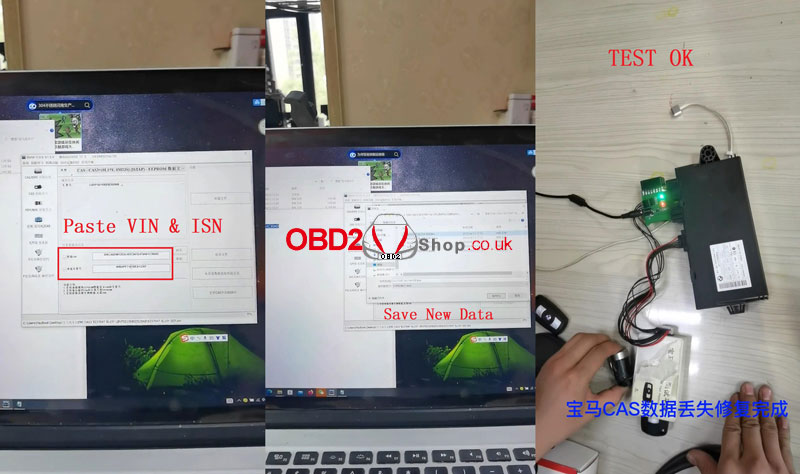
PCMtuner ECU Programmer + Xhorse VVDI BIMTOOL PRO can repair BWM CAS3 data loss on bench. Need to disassemble engine module & CAS3 module from vehicle. Considering the reason of CAS3 data loss, we can read from engine module.


Step1. Read Data via PCMtuner

Connect PCMtuner with engine module.

Read & save data.

Find out ISN code in eeprom file.

Remember to record it.

pcmtuner-vvdi-bimtool-pro-repair-bmw-cas3-data-loss-1

Step2. Repair CAS3 Data via VVDI BMW Tool

Connect VVDI BMW Tool to computer.

Select options:

Exchange ECU/CAS >> CAS-CAS3+(0L15Y, 0M23S)(ISTAP)-EEPROM >> Load a normal CAS3 data of other BMW >> Do not have the original key or ISN


Copy the VIN & ISN from step1, and paste to VVDI BIMTool Pro.

Save as a new data file.


Refresh the new data file to CAS3 module.

pcmtuner-vvdi-bimtool-pro-repair-bmw-cas3-data-loss-2

pcmtuner-vvdi-bimtool-pro-repair-bmw-cas3-data-loss-3

pcmtuner-vvdi-bimtool-pro-repair-bmw-cas3-data-loss-4

Step3. Test New Data

1. Use the new data & engine ISN to program keys.

2. Test key & engine with a test platform. All work normally.

Done. 


BMW CAS3 data loss have been repaired!

http://blog.obd2shop.co.uk/pcmtuner-vvdi-bimtool-pro-repair-bmw-cas3-data-loss/


Tuesday, 22 March 2022

Solution: KTAG V7.020 “Internet connection not detected” Grey Icons

Problem: KTAG V7.020 software was failed to identify the device after installation. It prompted “Connexion a internet non detectee: verifiez que vous disposez d'une connexion internet et essayez a nouveau(Internet connection not detected: check that you have an internet connection and try again).” Meanwhile, all icons turned grey.


What’s the problem? Please help me.

solution-ktag-v7020-internet-connection-not-detected-grey-icons-1

solution-ktag-v7020-internet-connection-not-detected-grey-icons-2

solution-ktag-v7020-internet-connection-not-detected-grey-icons-3


Solution

The reason why caused the issue is that the KTAG driver was not installed properly.

1. Check if the KTAG driver was forbidden or deleted by the antivirus program.

2. Reinstall KTAG driver.

3. Wait until the KTAG device is identified, then can open the software.


Hope this can help.

http://blog.obd2shop.co.uk/solution-ktag-v7-020-internet-connection-not-detected-grey-icons/

Tuesday, 8 March 2022

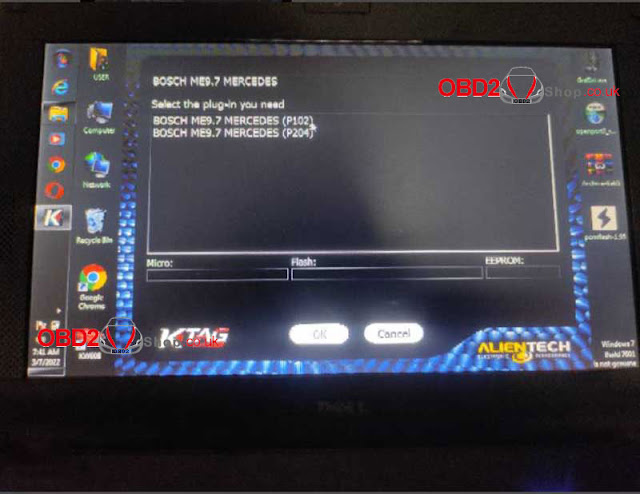
Solution: KTAG V2.25 Read Mercedes ME9.7 ECU Communication Error

Problem: I was using V2.25 Red PCB KTAG 7.020 to read Mercedes ME9.7 ECU for programming. But it failed and gave a warning: “Communication error with the ECU: control all connections; if the problem persists, send the LOG file to the assistance.”


What’s going on? Can you help me?

solution-ktag-v2-25-read-mercedes-me9-7-ecu-communication-error-1

solution-ktag-v2-25-read-mercedes-me9-7-ecu-communication-error-2

solution-ktag-v2-25-read-mercedes-me9-7-ecu-communication-error-3

solution-ktag-v2-25-read-mercedes-me9-7-ecu-communication-error-4

solution-ktag-v2-25-read-mercedes-me9-7-ecu-communication-error-5

Solution

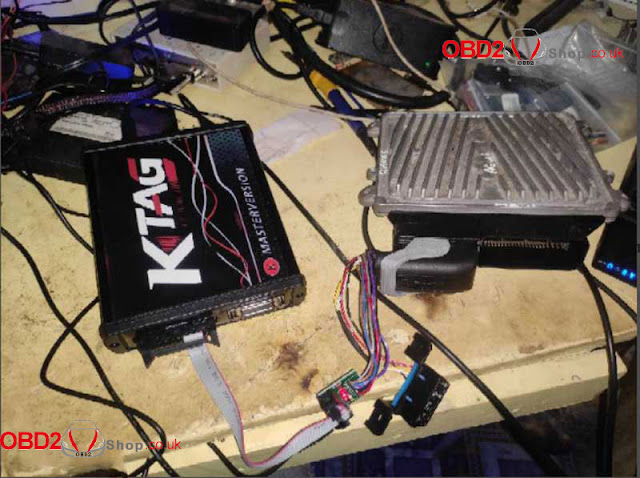
The reason why caused ECU communication error is because of using wrong connection interface. This interface is where to connect with ME9.7 ECM engine computer for writing data.


Original BOSCH ME9.7 ECU should be read by wiring. The wiring diagram can be found in KTAG(please click into blue link).

solution-ktag-v2-25-read-mercedes-me9-7-ecu-communication-error-6

solution-ktag-v2-25-read-mercedes-me9-7-ecu-communication-error-7


Updates

Now can you tell your technician to give me diagram to read with ribbon cable, please?


Engineer replied

We can offer the special wiring diagram for customers, but should replace new “help” files into KTAG.


KTAG 2.25 Help Files Free Download

Link: https://share.weiyun.com/5KYeXO5

Password: ztjb7c

(Feel free to contact us if having any download problems)


How to replace KTAG help files?

Video Guides:


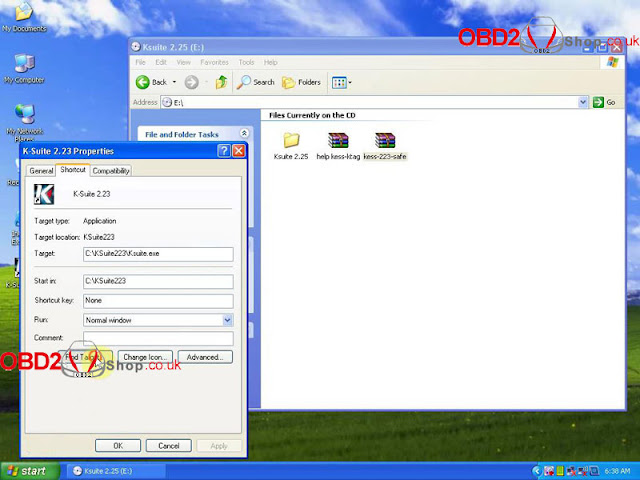
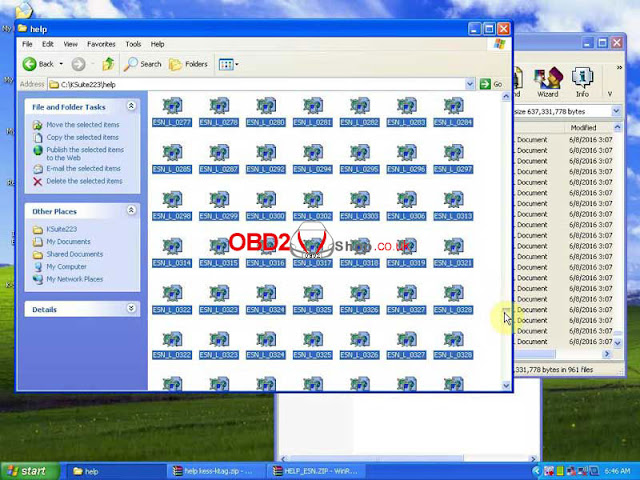
1.Right click K-Suite to Find Target.

(Help files default path: C:\KSuite223\help)

2.Selected & unzipped new help files into Help folder.

3.Wait extracting until 100%, done.

solution-ktag-v2-25-read-mercedes-me9-7-ecu-communication-error-8

solution-ktag-v2-25-read-mercedes-me9-7-ecu-communication-error-9

solution-ktag-v2-25-read-mercedes-me9-7-ecu-communication-error-10

solution-ktag-v2-25-read-mercedes-me9-7-ecu-communication-error-11

Thanks to Obd2shop, the problem was solved!

Article Source: http://blog.obd2shop.co.uk/solution-ktag-v2-25-read-mercedes-me9-7-ecu-communication-error/


Thursday, 3 March 2022

V1.21 PCMtuner Free Download, Install & Register User Guide

Here we provide 2022 the latest V1.21 PCMtuner ECU Programmer software free download link & installation guide. 100% tested, safe to download.


Where to free download PCMtuner V1.21 software:

Link: https://share.weiyun.com/7QqH2WLw

Password: irbk5u

* If you have any trouble during download, feel free to contact OBD2shop.


How to Install & use PCMtuner V1.21 Software?


Installation Guide

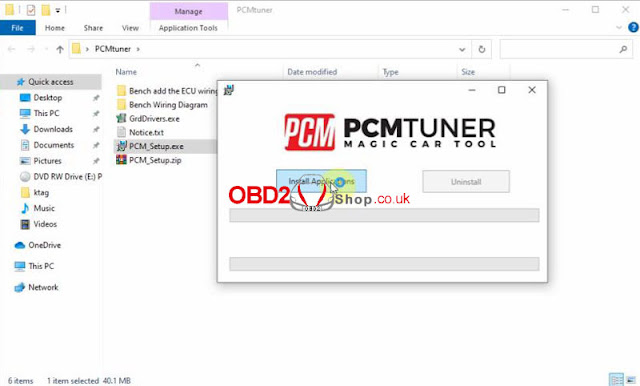
1.Install PCMTUNER

Unzip “PCM_Setup” package to run the program, install applications >> Accept agreement, Next >> Next >> Next >> Next >> Install

Wait processing until 100%...

Click “Finish” to next step.

v1-21-pcmtuner-free-download-install-register-user-guide-1

v1-21-pcmtuner-free-download-install-register-user-guide-2

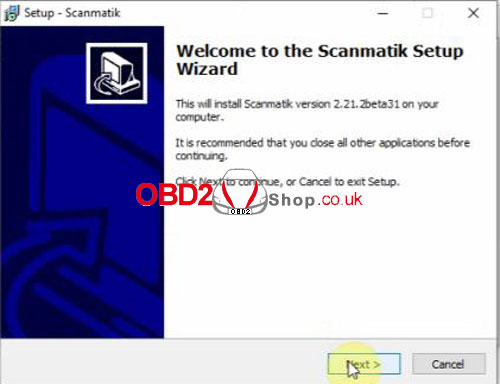
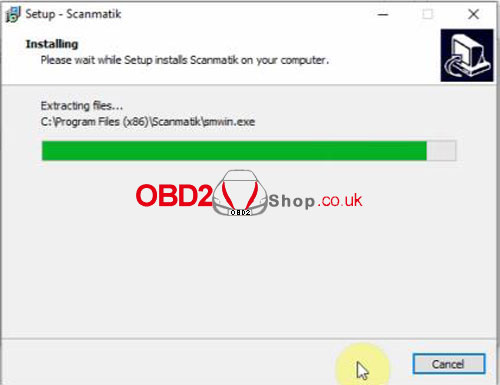
2.Install Scanmatik Setup Wizard

Next >> Accept agreement, next >> Next >> Next >> Next >> Install

Wait until processing finished.

Click “Finish” to complete.

v1-21-pcmtuner-free-download-install-register-user-guide-3

v1-21-pcmtuner-free-download-install-register-user-guide-4


3.Install Guardant Drivers

Run “GrdDriver.exe” program, click “Install”.

The driver will finish the installation automatically.


v1-21-pcmtuner-free-download-install-register-user-guide-5


How to Register PCMtuner Account?

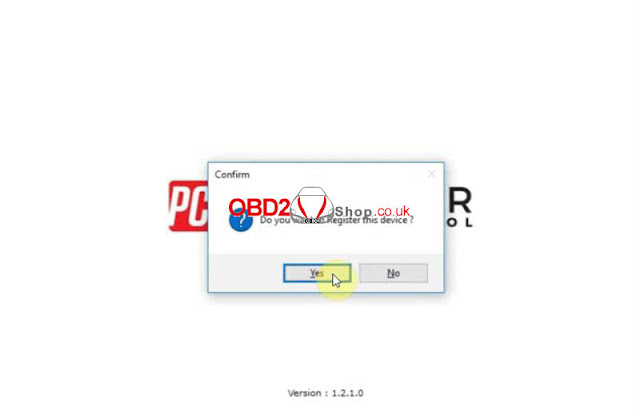
1.Open PCM Tuner, click “Yes” to start registration.

2.Fill in details including name, company, email, phone & country, click “Submit”.

3.After registration, remember to send your email to salesman for activation.

User Name: register email

Password: series number


Note: Please DO NOT work with other software. Otherwise, we are not responsible for lock or damaged issue for this reason.


v1-21-pcmtuner-free-download-install-register-user-guide-6

v1-21-pcmtuner-free-download-install-register-user-guide-7


How to Use PCMtuner Software?

PCMtuner Software has 2 parts: PCM tuner & PCM flash.

1.PCM tuner: It’s where users to check wiring diagram.

v1-21-pcmtuner-free-download-install-register-user-guide-8


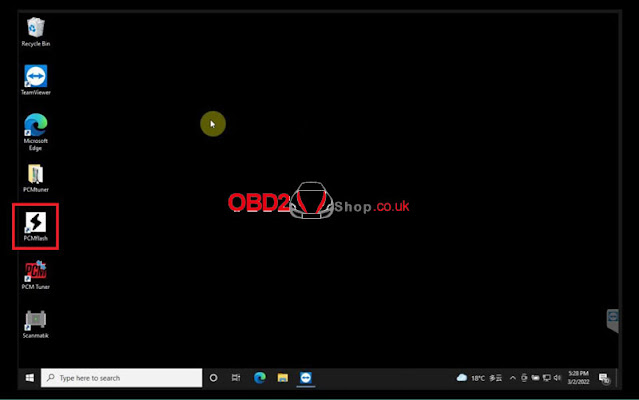
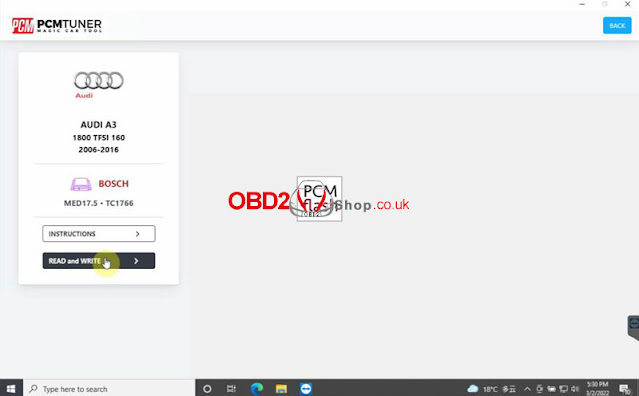
2.PCM flash: It allows users to read & write ECU. Can run it in PCM tuner or desktop PCMflash icon directly.

v1-21-pcmtuner-free-download-install-register-user-guide-9

v1-21-pcmtuner-free-download-install-register-user-guide-10


PCMtuner ECU Programmer FAQs

http://blog.obd2shop.co.uk/pcmtuner-v1-21-ecu-programmer-for-67-models-master-versionfaqs/


Formula Flash New Ford Bench Support: SID211, SID212 & SID212EVO

Formula Flash expands its Ford Bench support with new coverage for the SID211 and SID212/SID212EVO ECU families. The update adds Bench Mode...